Horizon rebuilds Minecraft: Java Edition 26.3 in Rust, one subsystem at a time, and holds every piece to the same inputs as the vanilla game until the outputs are identical.
Your own copy
Install Java Edition with the official launcher and play 26.3 once. Horizon builds its resources from those files on your machine, and never downloads or shares game files.
Native on three platforms
Linux, macOS on Apple Silicon and Windows. Worlds come from a Rust port of the vanilla generators, drawn with vanilla's block models, lighting, sky and fog.
Open source
Horizon's code is MIT. It contains no Minecraft code, assets or data; those belong to Mojang and Microsoft under the Minecraft EULA.
02In game
Drawn by Horizon
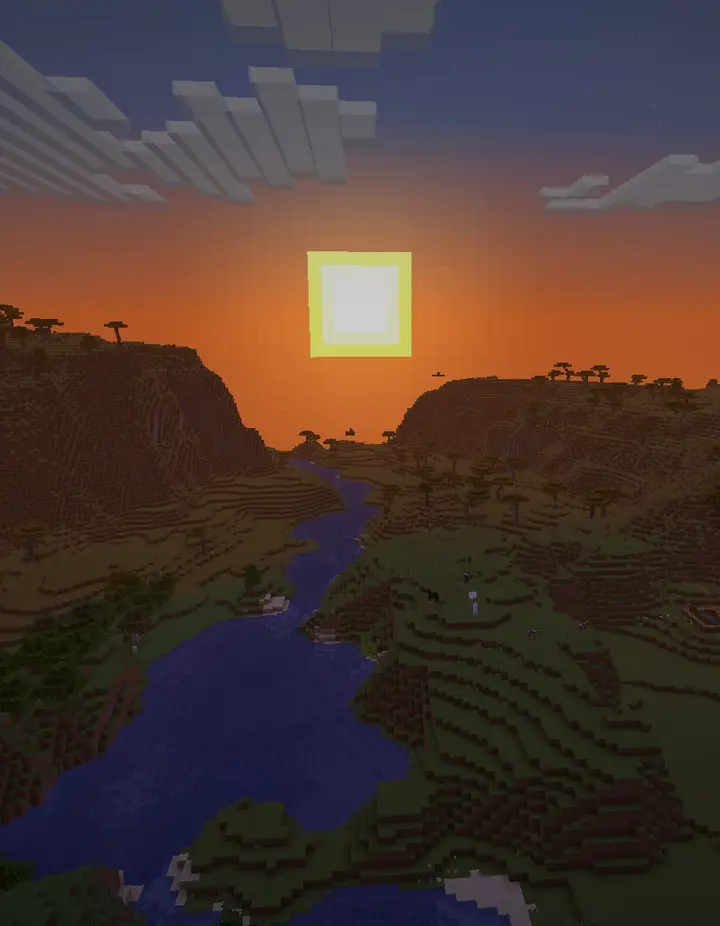
Captured in the Rust client itself, with vanilla assets from the player's own copy and no mods or shaders.
01A plains village02Moonrise03A crimson forest in the Nether04Salmon in a river05Survival at dusk
03Parity
281
281 differential harnesses drive the same inputs through Horizon and through the vanilla client and server, and compare what comes out.
Every subsystem matches vanilla.
Below is the project's own audit of each subsystem. Every subsystem now matches vanilla in every harness that compares it. 100% means 100% of what the harnesses compare, not proof that nothing else differs. The remaining known differences and the final checks are listed in the roadmap.
Last audited 2026-10-13 · 100% of what the harnesses compare · from the README on main
01Matches vanilla
Window, input and game loop
The game loop, options, camera, auto-jump, toggle sprint/sneak, local input and the frame limiter match vanilla
02Matches vanilla
Assets and resources
Item models match vanilla over 196,290 stacks and the client draws every item through them; the resource pack screen matches vanilla's drawing over 3,000 sessions of clicks, scrolling and searching, its incompatibility confirmation included
03Matches vanilla
Network protocol and multiplayer
Joins vanilla servers; the dedicated server (--dedicated) matches vanilla's files, status ping, login, configuration, play, chunks, chat, recipes, advancements and command tree, a client built from vanilla's packet code joins it, Horizon joins a vanilla server, and LAN discovery matches over 462 cases (offline mode only)
04Matches vanilla
Chunk storage and palettes
Client and saves share paletted containers, identical to vanilla over 266 scenarios
05Matches vanilla
Section meshing
112 scenes and over a million quads identical to vanilla
06Matches vanilla
Rendering
Entity models, block entity renderers (407 cases, End portals, gateways and the loom's banner preview included) and their animations (296 cases, End gateway beams included), the HUD overlays (2,200 states), the recipe book (600 states), the player list, subtitles and the world border match vanilla
07Matches vanilla
Lighting
Saved and relit light matches vanilla, slabs and stairs included
08Matches vanilla
World generation
2,352 whole chunks over 225 structure sites, in all three dimensions, identical to vanilla
09Matches vanilla
Region files and saves
Saves round-trip with vanilla, and worlds from 1.8 to 26.2 upgrade as vanilla's DataFixers do, superflat worlds included; old options.txt and hotbar.nbt files are upgraded too
10Matches vanilla
Entities and physics
Attributes, dimensions, death loot, spawn rules, natural spawning (15,500 cases), raids and patrols (1,900 cases), spawned mobs' gear, enchantments and state (finalizeSpawn, 24,000 cases) and mob AI (92 scenarios: villager breeding and gossip, the warden, ghastlings and copper golems included) match vanilla
11Matches vanilla
Interaction and inventory
Menu clicks match over 8,000 click sequences, the loom and the crafter included; recipe book placement (6,000 cases), its buttons (1,200), the saved book (1,500) and the loom and crafter screens (1,600) match vanilla
12Matches vanilla
Menus, HUD and chat
Every command runs as vanilla (758 commands over 39,685 parsed inputs), scoreboards and teams match (81,000 operations), the player list matches over 872,000 draw calls with heads drawn from players' skins (authlib's textures, SkinManager's lookup, legacy skin conversion), and the chat matches focused and scrolled; the resource pack screen (selection over 4,000 cases, drawing and its incompatibility confirmation over 3,000 sessions) and the chat input with its command suggestions, usage lines, Tab completion and history (3,000 sessions on vanilla's client command tree) match vanilla
13Matches vanilla
Audio
The sound engine, sound events, music, situational music, ambience and subtitles match vanilla
14Matches vanilla
Block behaviours and ticking
Block updates, random ticks, redstone, dispensers (6,000 cases), crafters (4,000 crafts), block entity removal (containers spill, 4,000 cases), copper golem chest sorting and the sculk family (435 scenarios: shrieker warnings and warden summoning included) match vanilla
Each subsystem scores 0 (absent), 0.25 (started), 0.5 (playable, major features missing), 0.75 (mostly complete) or 1 (complete and verified against vanilla by differential tests).
04The launcher
One small app, then play
The launcher installs Horizon, prepares it from your copy of the game and keeps both up to date.
One-click install
Pick a release and it installs the build for your platform into its own folder, then prepares the resources from your Java Edition 26.3 install.
Updates on its own
It looks for a new Horizon release when it starts and every four hours, and updates itself from the launcher's own releases.
Client or server
Start the client, or a dedicated server in a folder you choose, with a live console.
Your choice of menus
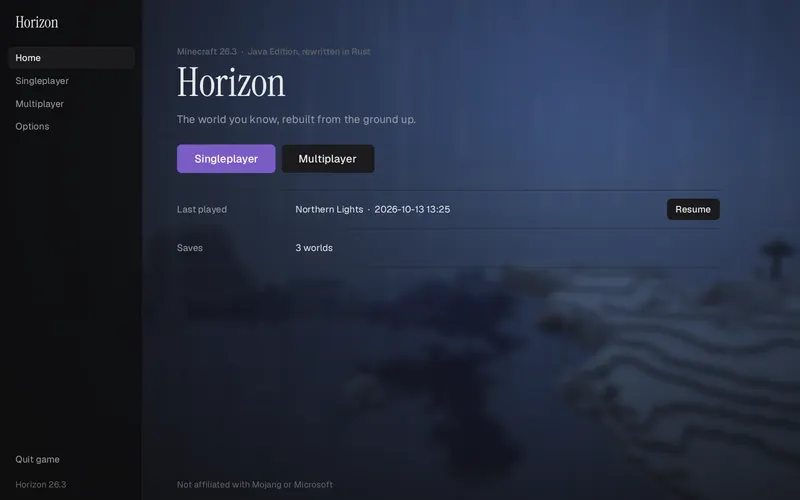
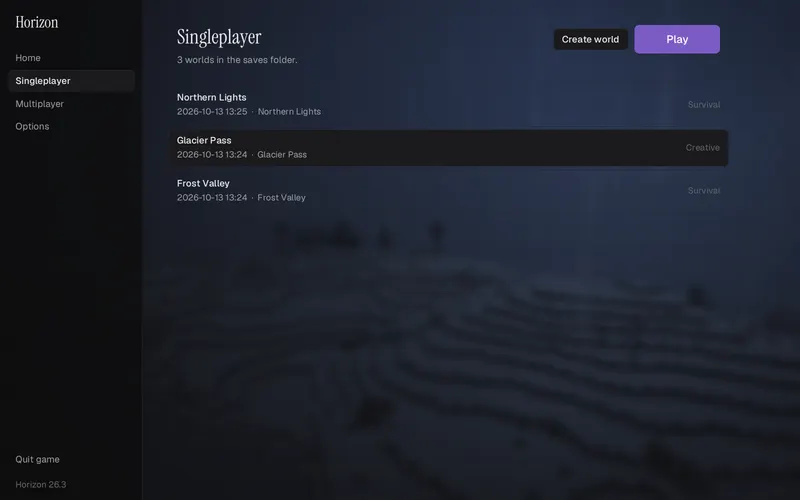
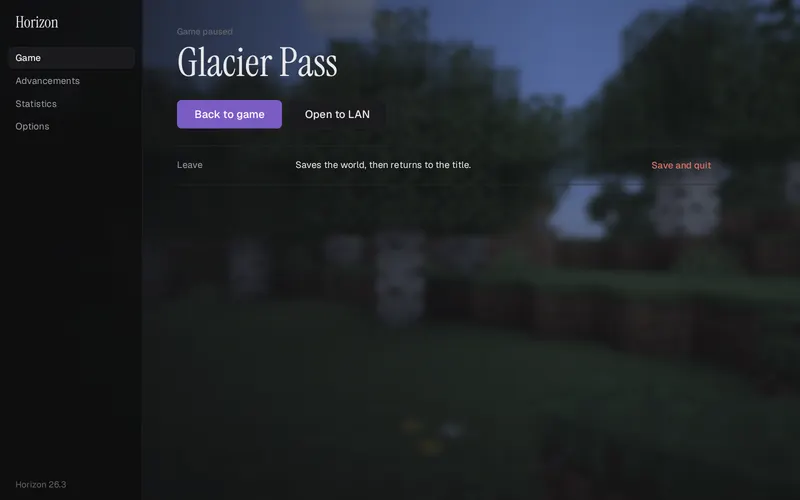
Play with Horizon's own menus, shown here, or vanilla's classic screens.
Install and update Horizon with the Horizon launcher. If you already have it, it picks this version up by itself. Website: https://playhorizon.dev
New
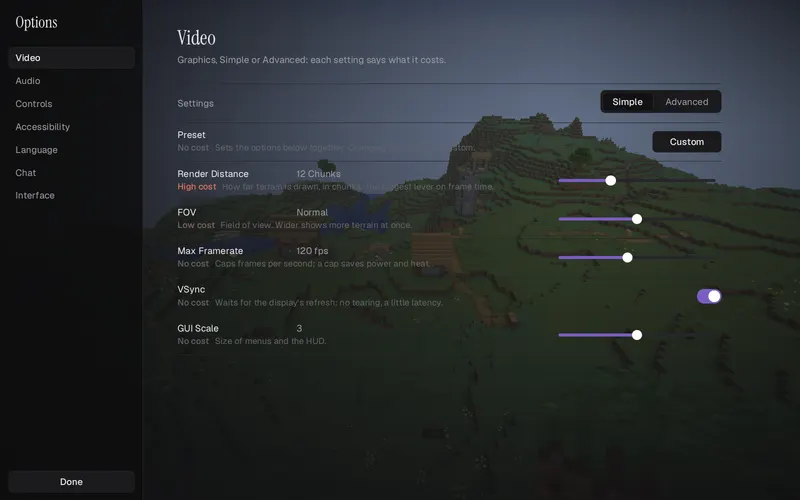
Horizon's own menus: a new title screen, world list, options and pause menu in the launcher's style, over a live frozen landscape. The vanilla look is still available: Options → Interface → Menu style → Classic.
Graphics settings, Simple and Advanced: presets (Performance, Balanced, Quality, Ultra), or every rendering, quality, display and performance setting, each with a short description and its cost, plus a performance overlay.
Much faster rendering: for example, at render distance 8 over a village, 363 → 2,409 FPS on an RTX 4080. Render distance 32 still stutters in places.
Fixed
No sound on Linux.
Linux builds now run on ordinary distros (Arch, Ubuntu, …), not just the machine they were built on.
Windows asked for a missing DLL: the launcher no longer needs the Visual C++ runtime.
Memory growing near villages: mobs were duplicated when chunks reloaded.
The frame rate dropping and staying low in villages.
Preparing resources failed on Linux with "Missing … java-objc-bridge" (#41). Mojang's republished 26.3 version file is accepted too.
The hand and held item looked wrong at high FOV.
Missing swing animations in Creative and Survival.
Known
Sprint-jumping has been reported as broken, but we couldn't reproduce it. If it happens to you, describe it in #horizon-bugs on Discord.
Online-mode servers aren't supported; skins served over https show the default skin unless already cached.
Not an official Minecraft product. Not approved by or associated with Mojang or Microsoft. You need your own copy of Minecraft: Java Edition 26.3.
Earlier releases
2026.10.13100% of harnessed vanilla parity
Horizon is a Rust reimplementation of Minecraft Java Edition 26.3, checked against vanilla by differential harnesses.
Vanilla parity: 100% of what the harnesses compare. Every subsystem in the README's table now matches vanilla in all 281 harnesses. Parity is declared complete only after a from-scratch audit on Linux and macOS and launch checks on these packaged builds, which come next.
What's new since 2026.10.12
Dedicated server:horizon-client --dedicated --nogui runs a server vanilla clients can join (offline mode), with vanilla's server.properties, status ping, chat, recipes, advancements and command tree. LAN discovery matches vanilla.
Worlds from 1.8 onwards open and are upgraded as vanilla does, superflat worlds included, along with old options.txt and creative hotbars.
Mob AI matches vanilla tick by tick in 92 scenarios: villager breeding and gossip, the warden and the sculk shrieker summoning it, ghastlings, copper golems sorting chests.
Spawned mobs' gear and enchantments match vanilla.
Screens: the resource pack screen, the open chat (input, history, command suggestions), the recipe book (drawing, search, ingredient placement), the loom's banner preview, End gateway beams, and player-list heads drawn from players' skins.
Render distance 2 now loads.
macOS gives vanilla's results in every harness.
Known differences
Online-mode servers aren't supported; skins served over https show the default skin unless already cached; pack icons show the unknown-pack texture in game; the creative hotbar keys (C/X) aren't wired up; item tooltips lack attribute lines.
See PLAY.txt in each archive to prepare the game's resources from your own copy of Minecraft.
Horizon is a Rust rewrite of Minecraft: Java Edition 26.3, checked against the game itself. Java parity: 88% (270 differential harnesses pass; see the README's Project status).
Not an official Minecraft product. Not approved by or associated with Mojang or Microsoft. These builds contain no Minecraft code, assets or data: you need your own copy of Minecraft: Java Edition 26.3, and the first start prepares the resources from it.
Each folder holds the game, the resource preparation tool and a PLAY.txt with the steps: Python 3.10+, JDK 25, your launcher's 26.3 install and the 26.3 server jar you download yourself, then python3 tools/prepare_native_client.py --prepare --server-jar PATH once, then run horizon-client from the folder. The macOS build is not notarized: right-click > Open the first time.
What's new
Mob AI matches vanilla, tick by tick in 72 scenarios, with villagers on a port of vanilla's brain.
New mobs: the breeze and wind charges, the creaking and the creaking heart, the sniffer, the happy ghast and ghastlings, llamas and trader llamas, and the copper golem; the warden's model, animations and emissive layers.
Raids and pillager patrols.
Dispensers, crafters, the loom and the recipe book; containers spill their items when their block is replaced.
Every command runs as vanilla, including /item modify, /spectate, /waypoint, /dialog and /place.
Scoreboards and teams in gameplay, the player list, subtitles, every HUD overlay, block entity animations, and End portals and gateways with vanilla's shader.
Worlds from 1.17 onwards are upgraded as vanilla does.
Builds for Linux, macOS and Windows.
Known gaps
The warden's brain and the sculk shrieker summoning it, villager breeding and gossip, spawned mob gear enchantments, the resource pack screen, a dedicated server mode, and worlds older than 1.17.
Known issues
With the render distance at 2 chunks, a world stays on "Loading terrain…". Use a render distance of 3 or more (Options > Video, or --render-distance 12).
The roadmap from the README, as it stands on main.
Known differences. Online-mode servers (Mojang's session servers) are not supported; skins served over https show the default skin unless already cached; pack icons show the unknown-pack texture in game; the creative hotbar keys (C/X) aren't wired to the hotbar loader; item tooltips lack attribute lines.
Final checks. A from-scratch audit (tools/parity.py --all) on Linux and on macOS, and the launch checks on the packaged Linux, macOS and Windows builds listed in Rust rewrite status.
Next. With vanilla parity as the base:
Performance: optimize the client and the server as far as they can go (rendering, chunk generation and meshing, memory, multithreaded ticking) while the differential harnesses keep gameplay identical to vanilla.
Modding support: a stable API for writing mods against Horizon.
Agent control: an MCP server and a CLI so AI agents and scripts can play and drive the game, growing out of today's horizon-ctl scripting socket.
Built-in recording: capture gameplay video in a keypress, without external tools.
Automatic version updates: a pipeline that ports each new Minecraft release on its own: compare the new version with the pinned one, regenerate the data, rewrite the changed parts and prove them with the same differential harnesses.